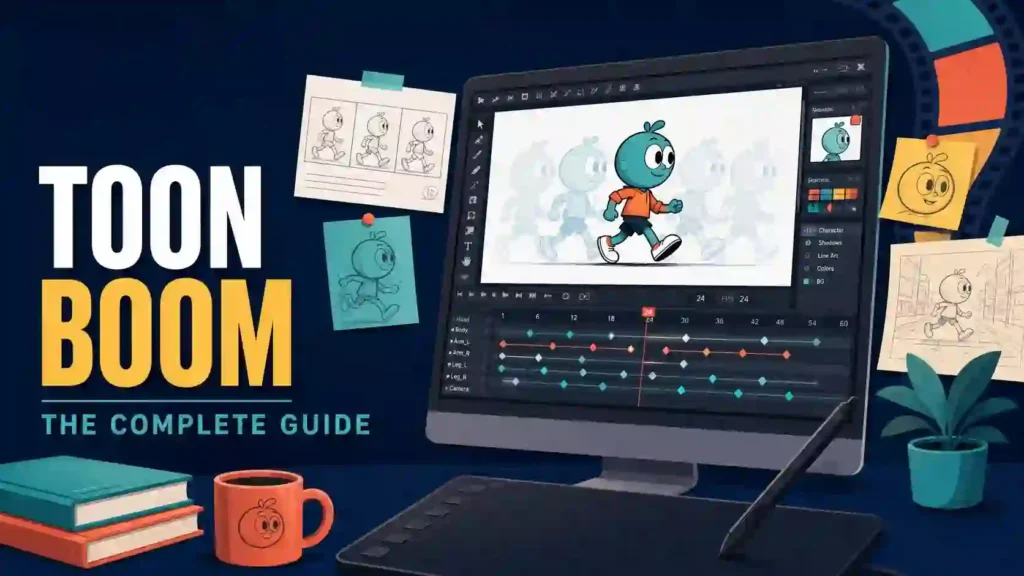
Studio deadlines keep shrinking while clients expect feature-film polish on television budgets. Missing the right software turns that pressure into missed frames, reworked rigs, and unpaid overtime. Toon Boom Harmony sits at the center of most professional 2D pipelines for a reason, and this guide shows you exactly what it does, what it costs, and whether it fits the work you want to make.
Quick answer: Toon Boom is a Canadian software company, founded in Montreal in 1994, that builds the animation and storyboarding tools used on most professionally produced 2D shows. Its two flagship products are Harmony, for animation production, and Storyboard Pro, for pre-production planning.
What Is Toon Boom?
Toon Boom Animation creates storyboarding and 2D animation software. The company has operated from Montreal since 1994, and its tools now run production work in more than 130 countries. Two Primetime Engineering Emmy Awards sit on its shelf: one in 2005 for USAnimation Opus and one in 2012 for Storyboard Pro.
The product line covers the entire 2D pipeline. Storyboard Pro handles boards, animatics, and pitch reels. Harmony handles drawing, rigging, animation, effects, and compositing. Producer, a newer addition, tracks schedules, assets, and reviews across a studio.
Toon Boom matters because it supports both classical and modern workflows in one program. An animator can draw every frame by hand with bitmap pencils, or build a puppet rig and animate with keyframes and deformers. Most professional shows blend both styles inside a single Harmony scene, which is difficult to do anywhere else.
Who Owns the Company Behind Harmony?
The company has changed hands twice, and both deals shaped the software you use today. Corus Entertainment, the Canadian media group behind Nelvana, bought half of Toon Boom in 2004 and the rest in 2012. In July 2023, Corus sold the company to International Media Company, a TPG portfolio business, in a deal valued at 111 million US dollars. Colin Bohm, a former Corus executive, now leads the company as CEO.
Ownership stability has a direct benefit for users. The Montreal engineering team has shipped continuous updates for three decades, from the Opus era through Harmony 25, released at the Annecy festival in June 2025. Knowing who owns the company also tells you the roadmap is funded by a dedicated media technology group, not a side project inside a busy broadcaster.
What Can You Create With Harmony?
Harmony is a full production package, not just a drawing app. Television series, animated features, commercials, title sequences, game cutscenes, and indie shorts all come out of it. Productions as different as Animaniacs, The Ghost and Molly McGee, Central Park, The Princess and the Frog, The Bob’s Burgers Movie, and the indie hit Robot Dreams used Harmony at some stage of their pipelines.
Here is what the software covers in a single environment:
- Drawing: pressure-sensitive bitmap brushes, textured vector pencils, and onion skinning for frame-by-frame work
- Rigging: bone, curve, and mesh deformers that turn artwork into articulable puppets
- Animation: keyframes, function curves, timing charts, and a Breakdown Pose Assistant added in version 25
- Effects: particles, shadows, glows, blurs, and a node-based effects graph in Premium
- Compositing: multiplane cameras up to 8K, depth layers, and rendering straight out of the scene
- 2D/3D hybrid work: imported 3D models that rotate alongside 2D art, plus Universal Scene Description (USD) support added in 2025
Because drawing, rigging, animating, and compositing live together, scenes move from artist to artist without exports or format conversions. That single-file workflow is the quiet reason studios standardize on it.
Which Harmony Edition Should You Buy?
Harmony ships in three editions, and the differences are practical rather than cosmetic. Picking the right one saves money and prevents a mid-project upgrade scramble.
| Feature | Essentials | Advanced | Premium |
|---|---|---|---|
| Best for | Students, simple cut-out | Freelancers, small studios | Broadcast and film pipelines |
| Drawing engine | Vector only | Vector + bitmap | Vector + bitmap |
| Camera resolution | HD/2K | 4K | Over 8K |
| Effect layers or nodes | 7 layers | 12 | All nodes + particles |
| Deformers | Bone | Bone | Bone, curve, and mesh |
| Node view for rigging | No | No | Yes |
| Master Controllers | No | No | Yes |
| 3D model import | No | No | Yes |
| Batch rendering and multi-user | No | Yes | Yes |
A simple decision rule works well. If you draw every frame by hand and post to your own channels, Essentials is enough. If clients pay you and you need bitmap art, 4K cameras, or multi-plane moves, step up to Advanced. If you build character rigs for a team or mix 3D sets into 2D scenes, you need Premium.
How Does a Scene Move Through Harmony Step by Step?
Understanding the workflow explains why studios commit to the software in the first place. Every production runs some version of the same loop, and each step happens inside one scene file.
- Scene setup: import boards, dialogue, and reference art, then set resolution, frame rate, and camera length
- Layout and blocking: position backgrounds on multiplane layers and rough in the key poses on the timeline
- Animation: refine timing frame by frame on the Xsheet, or keyframe a puppet rig with functions and deformers
- Cleanup and color: finalize pencil lines, then fill flat color using the paint tools and your color model swatches
- Effects and camera: add shadows, glows, particles, and camera moves through the node graph or effect layers
- Render and export: output image sequences or movie files with the built-in renderer
Drawing substitutions deserve a special mention, because they change how teams work. A head turn, a hand gesture, or a mouth shape lives as a set of swappable drawings on a single layer, so an animator flips between them without redrawing anything. Studios build whole libraries of these substitutions, which is how a series keeps thousands of shots consistent across a global crew.
Freelancers run the same loop at smaller scale, just with fewer hands. Those habits transfer cleanly from a solo desk to a hundred-seat studio, and that portability is a quiet career asset.
What Is Toon Boom Storyboard Pro?
Storyboard Pro is the pre-production half of the ecosystem, and it earned its own Primetime Engineering Emmy in 2012. Directors, board artists, and editors use it to sketch sequences, time them with audio, and pitch moving animatics. Live-action productions use it too, not just animation studios.
The 2025 release added tools that respect how board artists actually work. A Quick Thumbnailing mode gives you a distraction-free canvas and can even print thumbnail grids for paper sketching. Non-destructive layer effects let you add blurs, contrast, and blend modes for the pitch, then redraw the art underneath without flattening anything. Version 25.1, shipped in December 2025, refined licensing and switched the Ember tools on by default.
Storyboard Pro also closes the gap between planning and production. Boards, dialogue, camera moves, and timing export cleanly into Harmony, so a scene approved in pre-production arrives in animation with its structure intact.
What Is Ember?
Ember is the company’s opt-in AI assistant, introduced in beta in early 2025 and bundled with active Storyboard Pro and Harmony subscriptions. The design philosophy is support, not replacement. Ember automates chores so artists spend more time drawing.
Current Ember tools do three jobs. Expand Image adds padding around artwork on a separate layer while the original stays untouched. Increase Image Resolution upscales art to as much as 8192 by 8192 pixels. Rough Track Generation reads a script, flags characters and dialogue, and drops blank panels with scratch audio tracks onto the timeline, giving you a timed skeleton for the boards.
Artists who want no part of AI can ignore the whole panel. Every Ember function is opt-in, which keeps studios compliant with union agreements and client contracts that restrict generative tools.
How Much Does Toon Boom Cost in 2026?
Pricing follows a subscription model with monthly, yearly, and three-year terms. Yearly billing cuts the effective rate by roughly 30 percent. The numbers below come from the official Toon Boom store and reflect current USD rates.
| Plan | Monthly | Yearly (effective per month) | Three-year (effective per month) |
|---|---|---|---|
| Harmony Essentials | $31 | ~$22 ($259 per year) | ~$21 |
| Harmony Advanced | $79 | ~$51 ($606 per year) | ~$48 |
| Harmony Premium | $143 | ~$97 ($1,161 per year) | ~$92 |
| Storyboard Pro | $90 | ~$65 ($776 per year) | ~$61 |
Students and educators pay far less. Verified academic users get Essentials for about $6.75 per month, Advanced for $11, Premium for $20, and Storyboard Pro for $11 on annual billing. Schools can license entire classrooms at similar rates.
Compare those figures against a single week of freelance storyboard work and the math favors the software quickly. A freelancer who lands one board gig a quarter covers a year of Storyboard Pro several times over. The subscriptions also include one-day-response support, guided onboarding emails, and 24/7 access to the community expert network, which softens the learning curve cost.
Is There a Free Trial?
Yes, and it is genuinely free. Toon Boom offers 21-day trials of Harmony Premium and Storyboard Pro with no credit card required. You get the full Premium feature set, not a stripped demo, which matters because deformers, particles, and the node view are exactly the tools you need to evaluate.
Plan the three weeks before you start. A workable trial schedule looks like this:
- Days 1 to 3: complete the free Learn Portal starter courses and set up your tablet
- Days 4 to 10: animate a simple character walk, first frame-by-frame, then on a bone rig
- Days 11 to 17: build one short scene with effects, a multiplane camera, and a render
- Days 18 to 21: test Storyboard Pro alongside Harmony and study the handoff
The free Learn Portal continues after the trial ends, so you can keep studying while you decide. Students should check their school first, since many universities distribute classroom licenses at no cost.
Why Do Major Studios Standardize on Harmony?
Studios choose pipelines the way builders choose foundations, and three things hold the weight here. First, one program carries a show from boards through final render, which reduces handoff errors across hundreds of scenes. Second, the multi-user environment, batch rendering, and asset sharing were built for studio scale, not retrofitted for it. Third, the hybrid rig lets a team mix hand-drawn heads with rigged bodies and 3D props inside one scene.
The credit list tells the story. Harmony has contributed to broadcast staples such as Animaniacs and Central Park, streaming work like The Ghost and Molly McGee, theatrical projects including The Princess and the Frog and The Bob’s Burgers Movie, and award-season indie Robot Dreams. Mercury Filmworks, the Ottawa studio behind Hilda, worked with the company to build demo scenes that ship with new versions.
Recognition reinforces the track record. Animation Magazine reported when the Academy of Television Arts and Sciences handed Storyboard Pro a Primetime Engineering Emmy for its industry-wide adoption. For a hiring manager, that history means a new artist who knows the software can step into the pipeline on day one.
Toon Boom vs. Adobe Animate vs. TVPaint: Which Should You Pick?
Artists ask this constantly, and the honest answer depends on the kind of animation you sell. The table below frames the trade-offs.
| Criteria | Harmony | Adobe Animate | TVPaint |
|---|---|---|---|
| Core strength | Full studio pipeline | Web and light TV animation | Hand-drawn texture work |
| Rigging depth | Bone, curve, mesh, Master Controllers | Basic bones | Minimal |
| Effects and compositing | Built-in nodes and particles | Basic filters | Filters only |
| Price (entry) | ~$22 per month | ~$23 per month with Creative Cloud | ~$60 per month, perpetual option |
| Learning curve | Steepest | Gentle | Moderate |
| Best fit | Studio and freelance TV work | Interactive content, simple series | Traditional 2D purists |
Choose Animate if your output lives on the web, in e-learning, or in lighter TV formats. Choose TVPaint if you paint every frame and want a paper-like feel. Choose Toon Boom if you target studio jobs, need real rigs, or want boards, animation, and render in one connected system. Many working professionals keep two of the three and use each for what it does best.
Is Toon Boom Good for Beginners?
It is demanding but fair, and the honest answer depends on your goal. If your goal is professional studio work, starting here builds the exact habits studios expect, and nothing you learn gets thrown away later. If your goal is a fun weekend hobby, friendlier tools like FlipaClip or Krita may satisfy you at first.
Three things help newcomers more than anything else:
- Essentials edition: at student rates it costs less than a streaming bundle, yet it teaches the real interface
- Learn Portal: free, structured courses take you from interface tour to finished scenes
- Community: official forums and thousands of tutorials answer version-specific questions fast
Give yourself permission to be slow for the first month. The interface rewards repetition, and muscle memory arrives faster than most new artists expect.
How Long Does It Take to Learn Harmony?
Most learners reach comfortable freelance-level skill in three to six months of steady practice, and studio-ready speed within a year. Previous animation training shortens the path dramatically, because the software is rarely the hard part, animation principles are.
| Phase | Timeframe | Focus | Milestone |
|---|---|---|---|
| Foundations | Weeks 1 to 4 | Interface, drawing tools, timeline | Bouncing ball with clean timing |
| Traditional skills | Weeks 5 to 8 | Frame-by-frame walks, arcs, squash and stretch | 24-frame walk cycle |
| Rigging | Weeks 9 to 12 | Puppets, deformers, pegs | Three-pose character rig |
| Effects and cameras | Months 4 to 5 | Particles, multiplane, node basics | One polished 10-second scene |
| Portfolio | Months 6 and beyond | Full scene production, pipeline habits | Two or three reel-ready shots |
Practice in public while you learn. Posting weekly progress builds accountability, attracts feedback, and quietly assembles the reel that gets you hired.
Can Harmony Skills Get You Hired?
Yes, and the job titles are specific. Studio postings for 2D animator, rigging artist, storyboard artist, digital cleanup artist, effects animator, and compositing lead list Harmony or Storyboard Pro as required or preferred skills with striking regularity. Freelance clients ask for the same tools, because a producer knows a Harmony scene moves through their pipeline without friction.
The career paths branch in useful directions:
- Board track: Storyboard Pro mastery leads to storyboard artist, then board supervisor, then director
- Animation track: Harmony skills lead to animator, lead animator, then animation supervisor
- Technical track: riggers and Master Controller developers sit close to the pipeline team and often earn senior rates
Build your reel around the role you want. Six finished scenes aimed at one job beat twenty scattered experiments aimed at none.
What Mistakes Should New Harmony Users Avoid?
Watching new artists train reveals the same five stumbles again and again. Fix them early and you save months.
- Skipping animation principles: software cannot rescue bad timing, so drill walks and spacing before touching rigs
- Over-rigging a puppet: fifty deformers turn a simple fix into an afternoon, start with the smallest rig that works
- Ignoring the node view until deadline: learn it while nothing is on fire
- Buying the wrong edition: check the comparison table above before your first invoice, not after
- Working without backups: enable auto-save, version your scenes, and keep one project off your main drive
One more habit pays for itself forever. Name your layers and nodes the way a studio would, because future you, or a collaborator, will open this scene at 2 a.m. before a deadline.
Frequently Asked Questions
Is Toon Boom free?
No, but a 21-day free trial covers both Harmony Premium and Storyboard Pro with no credit card. Students get deeply discounted academic plans starting around $6.75 per month, and the Learn Portal training stays free permanently.
Is Toon Boom better than Adobe Animate?
For professional television and film work, yes, because Harmony offers deeper rigging, effects, and compositing in one pipeline. Animate remains a fine choice for web animation and lighter projects, and it costs less to try if you already pay for Adobe’s Creative Cloud.
What computer do I need to run it?
A Windows or macOS machine with a recent Apple Silicon chip or a discrete GPU, 16 GB of RAM, and a drawing tablet handles student and freelance work comfortably. Harmony runs natively on both Intel and Apple Silicon Macs, and heavy rigged scenes reward every extra gigabyte of memory.
Do real studios actually use it?
Yes, across more than 130 countries. Productions from Animaniacs to Robot Dreams used it, and the Academy of Television Arts and Sciences awarded Engineering Emmys to the company’s software in 2005 and 2012. That combination of scale and recognition is unmatched in 2D.
Can it mix 2D with 3D?
Yes. Harmony Premium imports and manipulates 3D models, rotates them with 2D layers, and, since version 25, supports Universal Scene Description transfers for modern hybrid pipelines. Studios use this for rotating vehicles, sets, and props that would be painful to redraw.
Is it worth it for hobbyists?
For a serious hobbyist building toward paid work, yes, especially on the student plan. For a casual doodler, start with the 21-day trial and a free tool like Krita, then upgrade only when a paying project or a portfolio goal demands it.
Final Verdict: Should You Start With Toon Boom?
If paid animation work is in your future, the answer is yes, and the sooner the better. The software runs the pipelines where the jobs are, the trial lets you prove that to yourself for three free weeks, and the student pricing removes almost every excuse left. Studios did not standardize on these tools by accident; they did it because one connected system carries a show from the first thumbnail to the final render.
Open the trial page tonight, sketch one board panel, and animate one walk cycle this week. Then tell me in the comments which Harmony edition fits your goals, and share the scene you made, I review reader work every month and feature the best shots in my newsletter.